How do you add a new customer?
Step by Step—How to Start Creating a New Client File in Morph.
Written By Teodora
Last updated 4 days ago
1. Go to the "Clients" section. Click the "Clients" tab in the main menu.
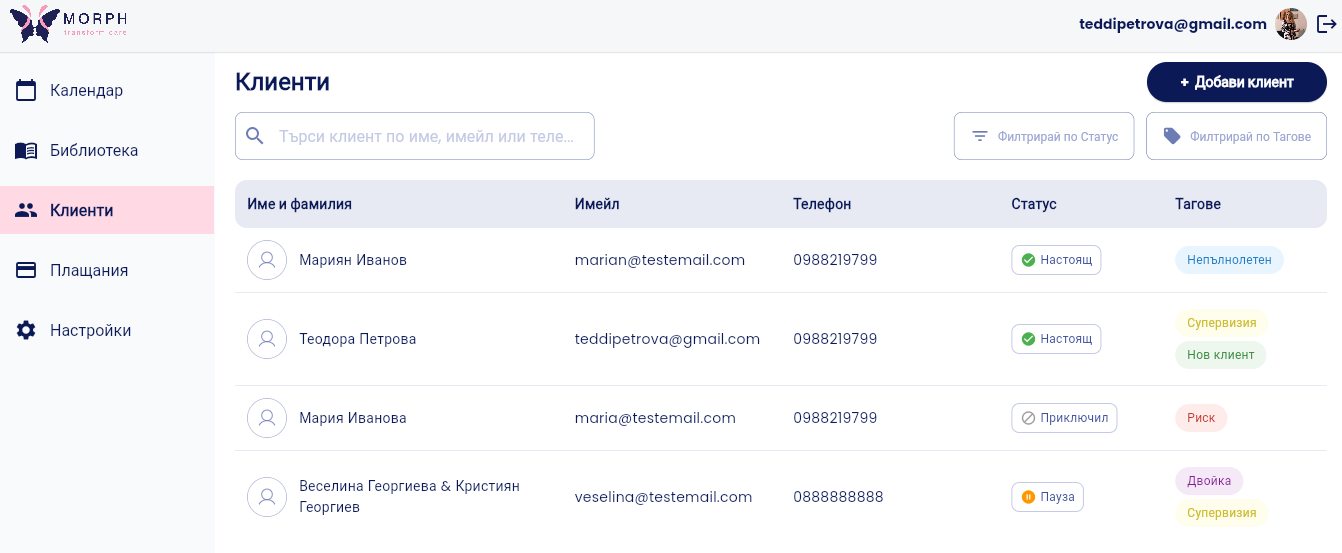
2. Click “Add Client.” A form for entering data will open.
3. Fill in the information. Required fields are marked with *:
First and Last Name
*Age
*Gender
*Phone
*Status
*- Active, On Hold, or Closed
💡 Required information can be changed later in the client's profile.
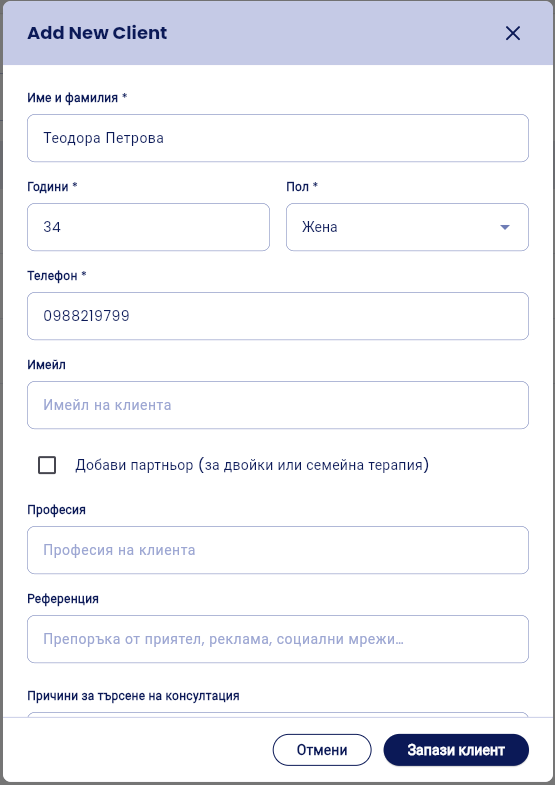
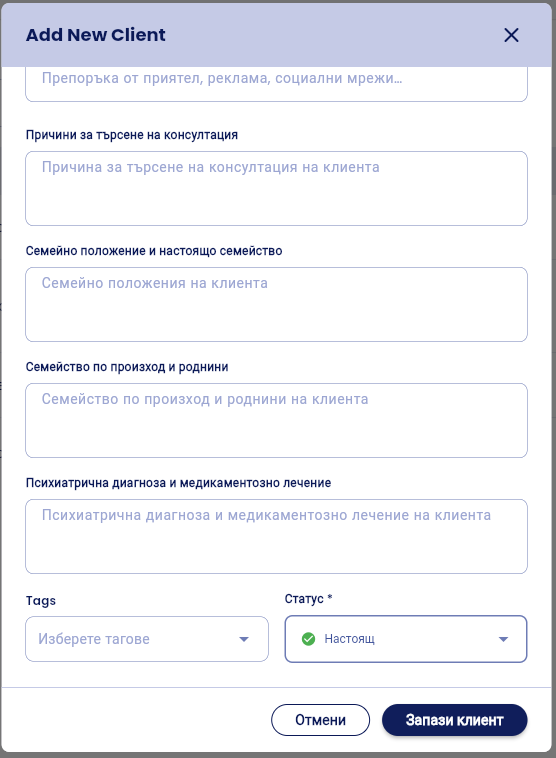
Optional fields include: email, occupation, reference, reason for seeking counseling, marital status and current family, family of origin and relatives, psychiatric diagnosis and medication, and tags.
Tags—you can tag the client with one or more tags: New Client, Risk, Supervision, Couple, Minor.
💡 You don’t have to fill everything out right away. You can edit or add additional information at any time.
4. Couples Therapy? If you’re working with a couple, check “Add Partner.” Additional fields for the partner’s information will appear. → See the article: “How to Add a Client for Couples Therapy”
5. Click “Save.” The client’s file has been created, and you can start working with it.
VIDEO
Was this helpful?
Still need help? Ask the team