How do you create a recurring event in the calendar?
Written By Teodora
Last updated 3 days ago
If you see a client every week at the same time, create a series of sessions all at once.
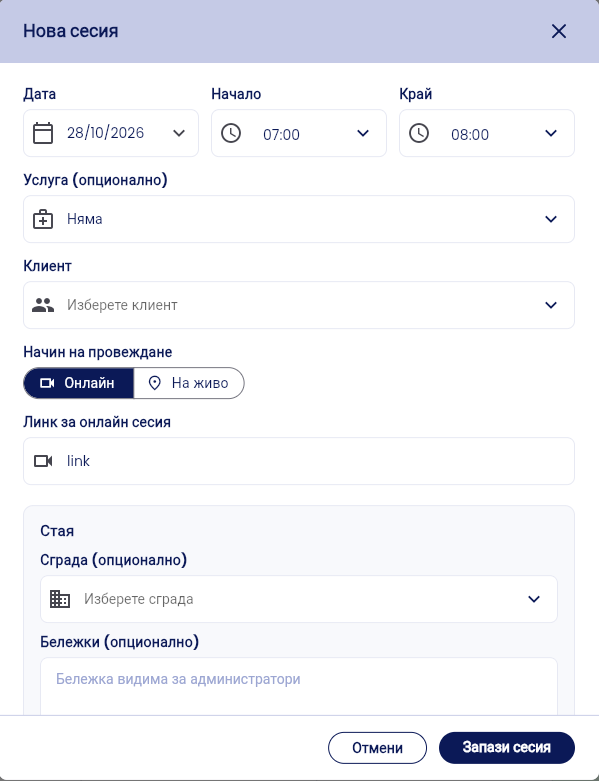
Open a New Session (see Guide 4) and fill in the date, time, client, and session type for the first session.
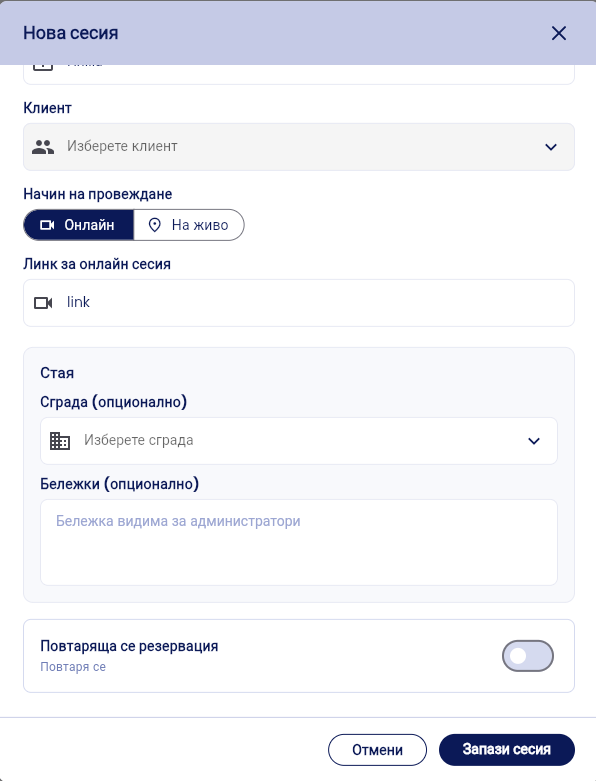
Toggle the “Recurring Appointment” switch.
Under Frequency, select Weekly or another frequency from the list.
Under “End of Series,” select “Until Date” or “After … repetitions.”
Check the blue message, for example, “5 sessions will be created, every Wednesday at 7:00 a.m.”
In the Preview, open a row to view the room for that date.
Click Save Session.
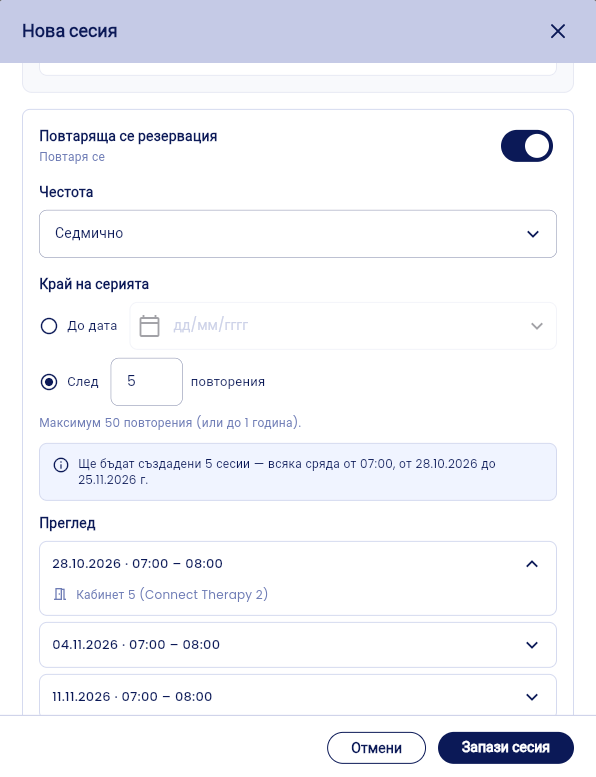
⚠️ The maximum is 50 repetitions or up to 1 year.
VIDEO
Was this helpful?
Still need help? Ask the team