How do I reserve a room in a shared office?
Written By Teodora
Last updated 3 days ago
If you work in a shared space, you can reserve a room for the time you'll be hosting.
Open Calendar and tap + Add Session, then select Room Reservation from the “What would you like to add?” window.
Select a Building (for example, Connect Therapy 1).
Select a Date, Start Time, and End Time.
Select a Room (for example, Office 1).
Optionally, add Notes.
Tap Save. Tap Cancel to close without saving.
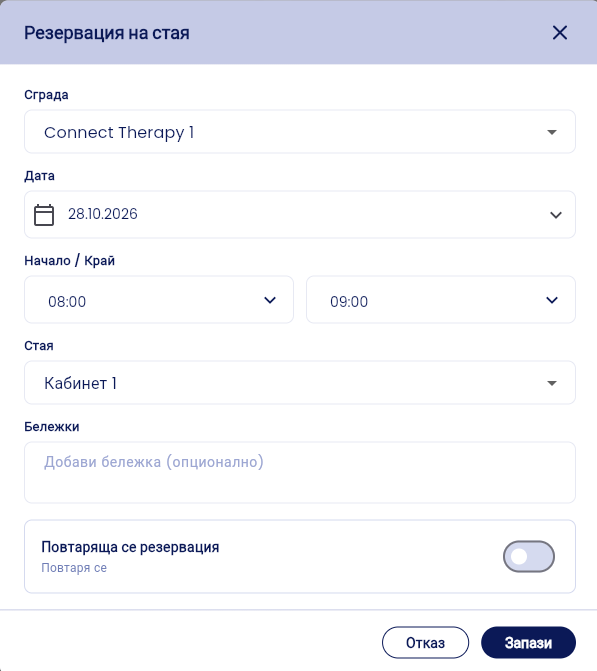
💡 For a recurring reservation, such as every Wednesday, enable “Recurring Reservation.” See Guide 8.
📎 Related article: How to create a recurring reservation in a shared space?
VIDEO
Was this helpful?
Still need help? Ask the team