How do you block off time in the calendar so it can't be booked?
Written By Teodora
Last updated 3 days ago
Blocked time is for those moments when you’re available but don’t want others to book you: lunch, personal errands, doctor’s appointments.
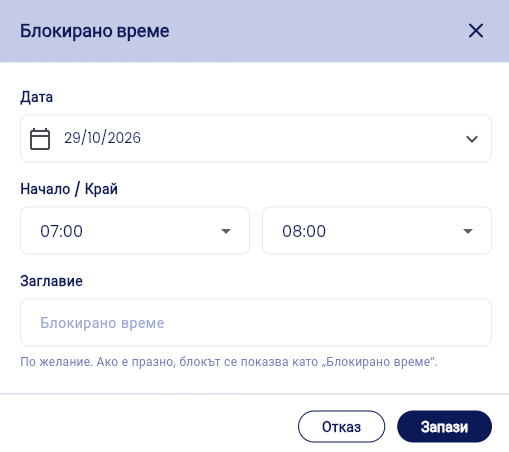
In the Calendar, tap + Add Session, and from the “What would you like to add?” window, select Blocked Time.
Select a Date, Start, and End time.
Optionally, add a Title. If left blank, the block will appear as “Blocked Time.”
Click Save.
The block appears in the calendar with a padlock icon, and clients cannot book during that time.
💡 Give the block a title so you can remember what it was for.
VIDEO
Was this helpful?
Still need help? Ask the team