How to Add Clients for Couples Therapy
Step by Step: How to Create a Joint File for a Couple—for a New Client or to Add to an Existing One
Written By Teodora
Last updated 4 days ago
Couples therapy is managed as a single shared file containing data for both partners. Personal information (name, age, gender, phone number, email) is entered separately for each person, while the remaining information—occupation, marital status, reason for seeking counseling, etc.—describes the couple as a whole.
In the client list, the couple is listed by both names, for example, “Veselina Georgieva and Kristian Georgiev.”
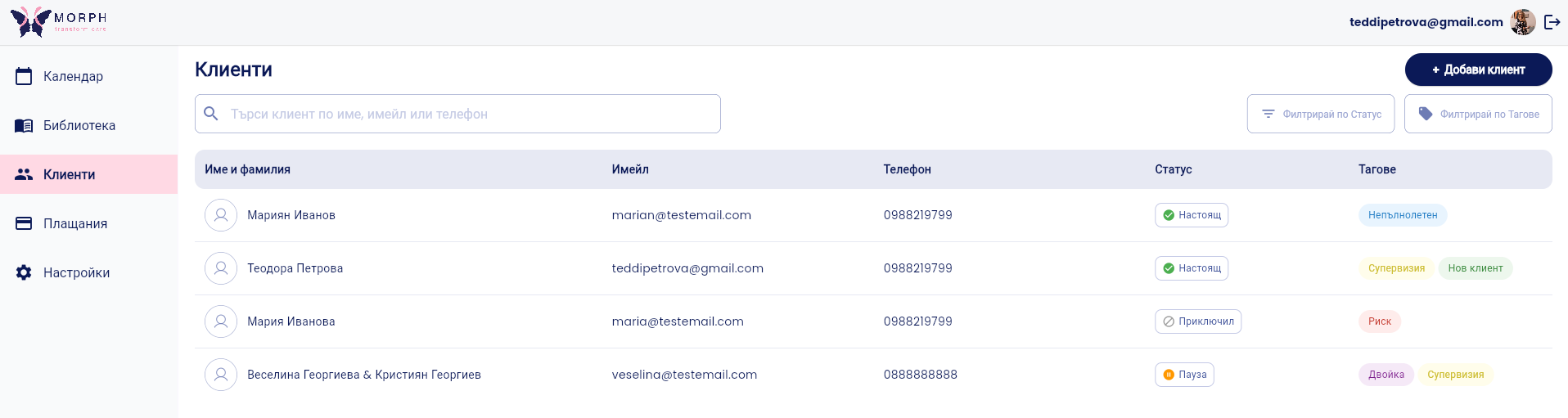
Option 1: When creating a new client
1. Go to the “Clients” section and click “Add Client”
2. Fill in the details for the first partner. Enter the required fields: first name and last name, age, gender, phone number, and status.
3. Check “Add Partner.” Additional fields for the second partner will open: first name and last name, age, gender, phone number, and email.


4. Fill in the remaining information about the couple. Fields such as occupation, reason for seeking counseling, marital status, etc., describe the couple as a whole. For example: “She is a doctor; he is an engineer.”
5. Click “Save.” A single profile for the couple is created.
Option 2: Add to an Existing Client
1. Open the client’s file. Go to the “Clients” section and select the appropriate client.
2. Click “Edit”

3. Check “Couple.” Enter the partner’s information: first and last name, age, gender, phone number, and email.
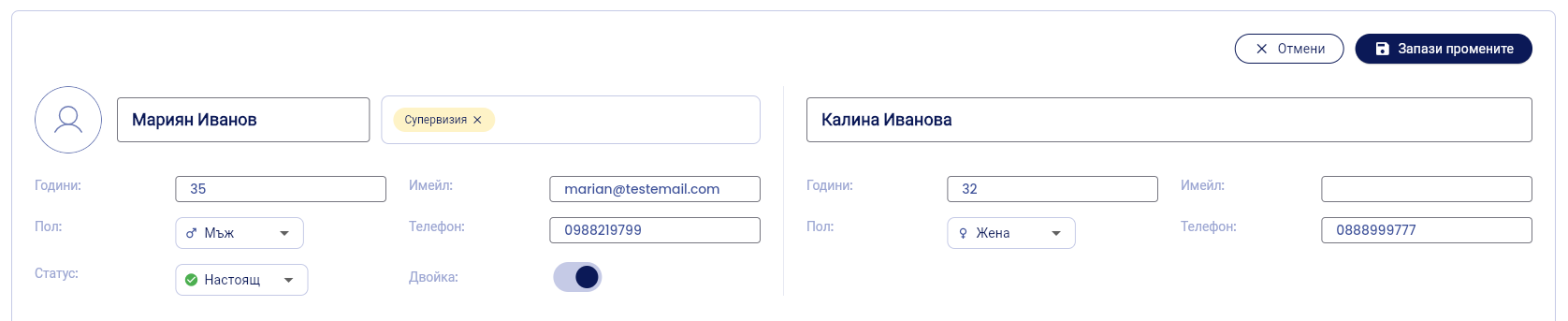
4. Click “Save.” The file is updated and now includes both partners.
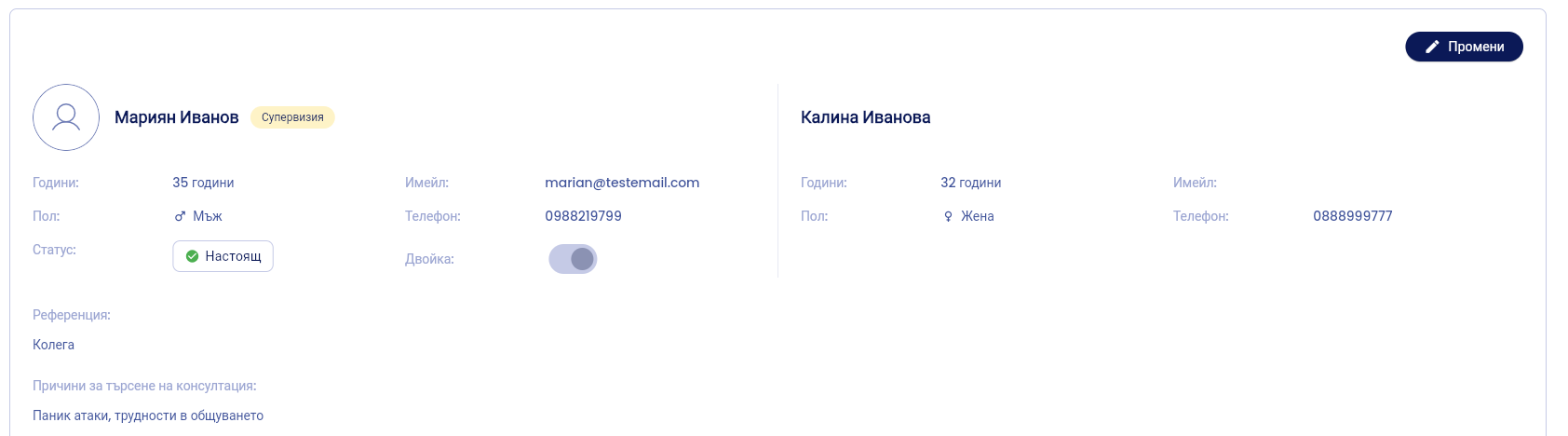
In the client list, the couple is displayed with both names—for example, “Ivan Petrov and Maria Petrova”
💡 You can edit the couple’s information at any time from their profile.
VIDEO:
Was this helpful?
Still need help? Ask the team